
A Chrome extension cannot free memory. It cannot even read how much memory a tab is using: the only extensions API that reports that figure, chrome.processes, is restricted to Chrome's Dev channel, so nothing you installed from the Web Store has ever seen your RAM. [2] [3]
What an extension can do is stop a tab being a loaded page, and there are exactly three ways to do it. One of them is a single function call that Chrome's own Memory Saver already makes for free, on tabs you are not looking at, without an install.
Do Chrome RAM saver extensions actually free memory?
Yes, by discarding tabs. When an extension discards a tab, Chrome unloads that tab's page and the memory the page was holding goes back, the same way it does when the browser discards the tab on its own schedule. The tab stays in the strip and reloads the next time you click it. [1] No other memory is touched: there is no call that compacts Chrome's heap, trims a process, or sweeps anything.
Chrome's reference is unusually plain about the effect. chrome.tabs.discard() is documented as "Discards a tab from memory. Discarded tabs are still visible on the tab strip and are reloaded when activated." [1] Google's help page describes the built-in Memory Saver in nearly the same sentence: "Chrome deactivates tabs that you aren't currently using. When you access an inactive tab, it automatically reloads." [6] Two documents, one behaviour.
That is the whole of the mechanism. Everything else an extension in this category offers is a policy layer: which tabs, after how long, and with what exceptions.
What can an extension actually do to a heavy tab?
Three things, and they differ in what the tab strip shows afterwards more than in what they return.
| What the extension does | The call | Tab strip afterwards | What comes back |
|---|---|---|---|
| Discards the tab | chrome.tabs.discard() | The tab is still there | The page's memory, until you click back |
| Replaces the page | chrome.tabs.update() to a local extension page | The tab is still there, retitled | The site's memory, minus a near-empty placeholder |
| Closes the tab | chrome.tabs.remove() | Nothing | Everything, once the renderer process exits |

The middle row is the older trick and it is why the classic suspenders feel different from the built-in feature. Instead of asking Chrome to unload the page, the extension navigates the tab to a page it ships itself, which is why The Great Suspender's manifest exposes exactly one web-accessible resource, suspended.html. [8] The site is gone either way. The difference is that a replaced tab shows a page the extension controls, with the old title and a restore button on it, where a discarded tab keeps looking like the original and offers the extension no surface at all.
The bottom row is the one that returns the most, and it is also the one where the arithmetic stops being per-tab. Chrome frees memory when a renderer process exits, and one process can be holding several of your tabs, so closing tabs one at a time can return nothing while closing every tab of one site returns the lot.
Can an extension tell how much memory a tab is using?
No, not on the Chrome you are running. The only extensions API that reports memory is chrome.processes, whose privateMemory field is "the most recent measurement of the process private memory usage, in bytes" - and the reference gives the API's availability as Dev channel. [2]
The restriction is set two lines deep in Chromium's own feature files. In _permission_features.json, the processes permission has "channel": "dev", plus a beta element carrying an allowlist of two extension ids, both annotated with the same tracking bug. [3] There is no stable-channel entry. An extension published to the Chrome Web Store and installed on the browser almost everyone runs cannot ask for it.

An extension cannot see your memory. It can only stop a tab from being a page. So when a listing promises to optimise, clean or reclaim your RAM, and shows you a number in its popup, that number is not a measurement. It is a count of tabs the extension has acted on, or an estimate it made up. Chrome's own Task Manager holds the only per-tab memory figure on the machine, and extensions are not among the things that can read it.
That ceiling binds the careful developers in this category as hard as the careless ones, so none of it is an accusation.
Is a suspender extension different from Chrome's Memory Saver?
Same mechanism, different policy, and policy is the entire thing you are buying.
Chrome's Memory Saver gives you three named modes - Moderate, Balanced and Maximum - which Google's help page distinguishes only as a longer, optimal or shorter period of time, with no number attached. [6] Chromium's source does put numbers on them, and they are longer than most people assume: two to six hours in the background before a tab is eligible at all. The one control you get is an allow-list, "Always keep these sites active", which matches on web addresses. [6]
Chrome also refuses to deactivate a tab under a published list of conditions: active audio or video, screen sharing, page notifications, active downloads, partially filled forms, pinned tabs, and connected USB or Bluetooth devices. [6]
An extension replaces that whole set of rules with its own. Discard after fifteen minutes rather than four hours, never discard a tab whose URL matches a pattern, discard everything in this window right now, exclude the tabs you pinned in your own sense of pinned rather than Chrome's. If Chrome's timers are the reason the built-in feature has never appeared to do anything for you, that is a real product and it is the reason this category exists.
If you have never changed the mode, though, change the mode before you install anything. It is one screen, it costs no permissions, and it is the same mechanism underneath. The full Memory Saver guide covers where the setting lives and what each mode actually does.
What does a tab suspender need access to?
Nothing, for the suspending. Quite a lot, for the deciding.
chrome.tabs.discard() and chrome.tabs.remove() need no declared permission. The reference says so in general terms - "Most features don't require any permissions to use" - and is specific about what the tabs permission is actually for: it grants the ability to read four sensitive properties, url, pendingUrl, title and favIconUrl, and nothing else. [1] Chromium's _api_features.json is where that shows up as configuration: the whole tabs namespace is "channel": "stable" with no permission dependency attached, while processes right beside it is declared as depending on permission:processes. [4]
The permissions come from the other half of the job. Auto Tab Discard is the most conservative widely used option, open source under MPL-2.0 and built on the native discard call, and its Manifest V3 permission list is idle, storage, contextMenus, notifications, alarms and scripting. It does not ask for the tabs permission at all. It does ask for host_permissions: ["*://*/*"]. [12]
That is every site you visit, and it is not greed. Sparing the tab with a half-written comment in it means reaching into the page to look, and reaching into a page is what host permissions and scripting are for. The feature that makes a suspender better than Chrome's blunt timer is the same feature that makes it ask for everything.
What happened to The Great Suspender?
It was the most popular tab suspender Chrome ever had, at around two million users, and by mid-February 2021 Google had removed it from the Web Store and force-uninstalled it as malware. [11] The original author had moved on in June 2020 and transferred both the GitHub repository and the Web Store rights in what he described as a purchase; the new owner shipped a build that intercepted network traffic. [11]
The project's repository still carries both manifests, which makes the change a diff anybody can read rather than a story anybody has to trust.
| Manifest entry | v7.1.6, last release by the original author | master, version 7.1.8 |
|---|---|---|
| Permissions | tabs, storage, history, unlimitedStorage, http://*/*, https://*/*, file://*/*, chrome://favicon/*, https://greatsuspender.github.io/, contextMenus, cookies | The same eleven, plus webRequest and webRequestBlocking |
| Web-accessible resources | suspended.html | suspended.html |
CSP connect-src | Analytics, the project's own site | The same, plus a hosts file on raw.githubusercontent.com |
Two words. [8] [9] On a manifest that already declared http://*/* and https://*/*, webRequest with webRequestBlocking is the capability the issue that raised the alarm describes: code that "intercepts all requests, meaning it can track you perfectly, and furthermore manipulates those requests and makes additional advertising requests". [10]
Chrome's permission list would not have changed. The strings Chrome prints about an extension come from a rule table in the Chromium tree, chrome_permission_message_rules.cc, and the webRequest permission appears nowhere in that file - there is no rule for it to fire. [5] The two additions that turned a tab suspender into an advertising proxy were invisible in the one place a user is ever told to look. That the printed list is a lossy summary rather than the permission list is its own article. This is the version of it that reached two million machines.
There is no clever user-side defence to offer here. An ownership change is not something Chrome shows you, and a silent update is the delivery mechanism the platform is built on. What is left is preferring extensions whose source is public and whose releases are visible, which is a weak filter, and it is still the only one that would have worked in this case - the alarm was raised on the project's own issue tracker three months before Google acted. [10]
Does any of this work the same way in Firefox?
Yes. Firefox implements tabs.discard() with the same shape and MDN describes the result in the same terms: "Discarded tabs stay visible in the tabstrip. The browser remembers the tab's state and restores it when the user selects the tab." [7] An add-on suspending tabs on Firefox is making the same call against the same ceiling.
Firefox's own automatic unloading behaves differently from Chrome's, and differently again depending on which operating system you are on, which the Firefox tab management piece goes through.
So should you install one?
Three different questions hide inside that one, and they have different answers.
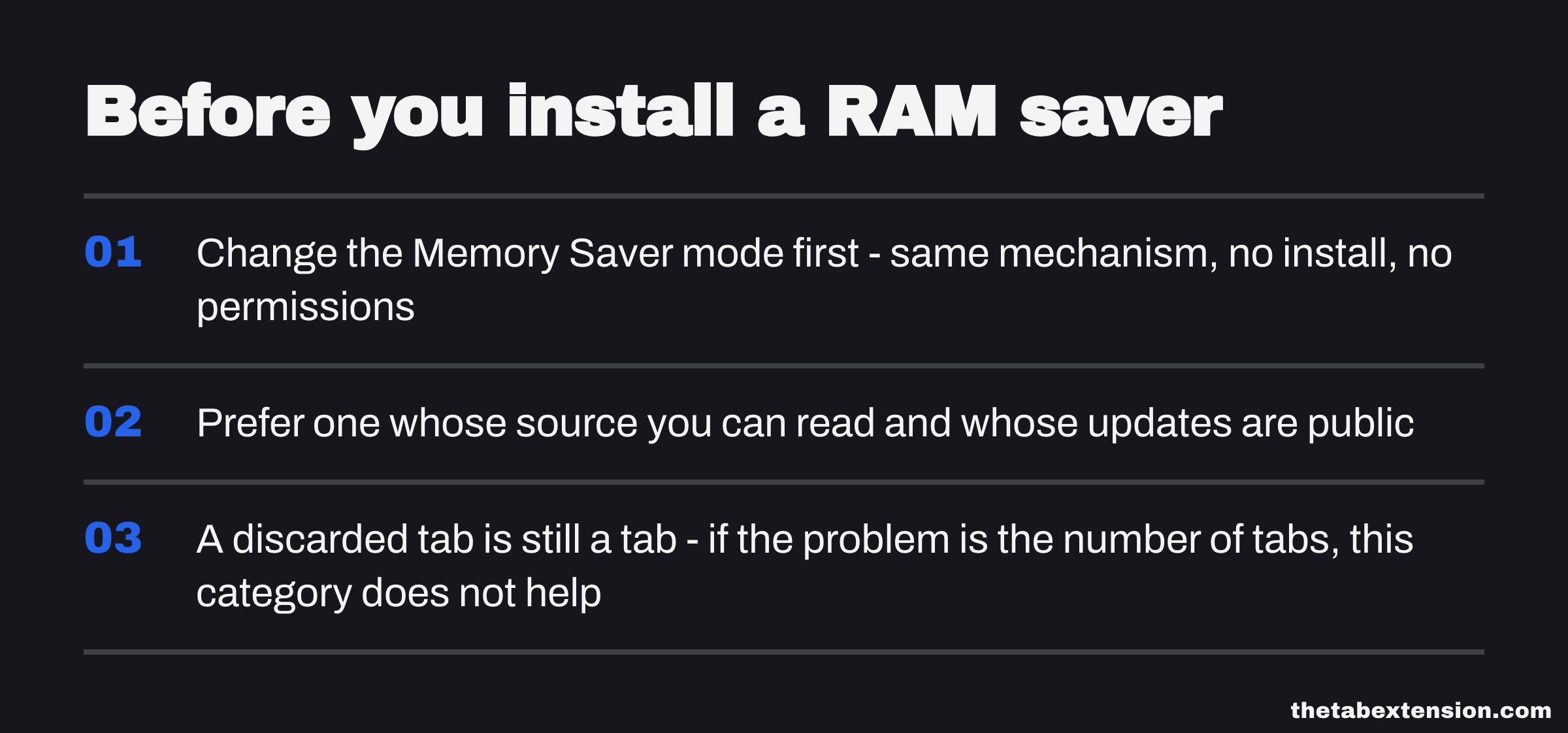
If Chrome's built-in has never seemed to do anything, and you want your tabs unloaded sooner: yes, this is what the category is for, and an extension is the only way to get a timer you choose. Prefer one whose source you can read and whose updates are public, and accept that it will want access to every site, because deciding which tab to spare requires looking at the page.
If you have not touched the Memory Saver setting: change it first. Same mechanism, no install, no permissions.
If the real problem is the number of tabs: nothing in this category helps. A discarded tab is still a tab. The strip stays as full as it was, the favicons stay in the same order, and the mental weight of forty open tabs - which is usually what sends someone searching for a RAM saver in the first place - does not move at all.
TheTab sits in that third case and not in this category. It does not suspend anything: it saves the open set in one action and closes the tabs, which returns more than discarding does because the tab objects go away too, and empties the strip, which discarding deliberately does not. It declares no host permissions, so it cannot read the pages you have open - which is also why it could never make the "spare this one, it has a form in it" judgement a suspender makes. That is the same trade seen from both ends, and the four kinds of tab manager is the map of which end you want to be at.
What you are actually buying
A RAM saver extension buys you a schedule. The unloading itself is one documented call that ships in every Chrome, that needs no permission to make, and that the browser is already making on its own several hours later.
That is a legitimate thing to sell and a legitimate thing to want. It is just much smaller than the names on the listings suggest, and the gap between "reclaim your RAM" and "discard a tab four hours sooner than Chrome would have" is where the permission list you have to accept quietly lives.
SOURCES
Every factual claim in this article traces to a source below. Where we could not source a claim, we removed it rather than softening it.
Read 18 September 2026. chrome.tabs.discard() is described as "Discards a tab from memory. Discarded tabs are still visible on the tab strip and are reloaded when activated." and is marked Chrome 54+. The Tab property discarded is "Whether the tab is discarded. A discarded tab is one whose content has been unloaded from memory, but is still visible in the tab strip. Its content is reloaded the next time it is activated." autoDiscardable is "Whether the tab can be discarded automatically by the browser when resources are low." chrome.tabs.remove() is "Closes one or more tabs." On permissions the page states that "Most features don't require any permissions to use. For example: creating a new tab, reloading a tab, navigating to another URL, etc.", and that the tabs permission "does not give access to the browser.tabs namespace. Instead, it grants an extension the ability to call tabs.query() against four sensitive properties on tabs.Tab instances: url, pendingUrl, title, and favIconUrl."
Read 18 September 2026. The page gives its availability as "Dev channel" and requires the processes permission. The privateMemory property is "The most recent measurement of the process private memory usage, in bytes. Only available when receiving the object as part of a callback from onUpdatedWithMemory or getProcessInfo with the includeMemory flag."
Read 18 September 2026 from the main branch. The processes entry has two elements: the first sets "channel": "dev" for extension_types ["extension"], the second sets "channel": "beta" with an allowlist of two extension id hashes, both annotated with the same crbug reference. There is no stable-channel element, so the processes permission is unavailable to an extension running on stable Chrome.
Read 18 September 2026 from the main branch. The tabs namespace entry is "channel": "stable" for extension and legacy_packaged_app in privileged_extension contexts, with no dependencies array and therefore no permission:tabs dependency. By contrast the processes entry is declared as dependencies ["permission:processes"].
Read 18 September 2026 from the main branch. The file is the rule table that turns declared permissions into the warning strings Chrome prints, and it contains no rule referencing the webRequest permission; the only related identifier present is kDeclarativeWebRequest. The IDS_EXTENSION_PROMPT_WARNING_ALL_HOSTS rule lists kDeclarativeWebRequest, kFavicon, kProcesses, kTab, kTopSites, kWebNavigation and others among the permissions it absorbs, and the comment above it states that full host access already allows DeclarativeWebRequest, reading the list of most frequently visited sites, and tab access.
Read 18 September 2026, and dated with that read date because Google revises this page in place. Memory Saver is described as "Chrome deactivates tabs that you aren't currently using. When you access an inactive tab, it automatically reloads." The three modes are Moderate, Balanced (recommended) and Maximum, distinguished only as a longer, optimal or shorter period of time. The Always keep these sites active list accepts open tabs or typed web addresses. The page lists active audio or video, screen sharing, page notifications, active downloads, partially filled forms, pinned tabs and connected USB or Bluetooth devices among the things that may prevent tab deactivation.
Read 18 September 2026. Firefox implements tabs.discard(), described as "Discards one or more tabs." with the note that "Some browsers automatically 'discard' unused tabs to free memory. Discarded tabs stay visible in the tabstrip. The browser remembers the tab's state and restores it when the user selects the tab. The details of when tabs are and what is discarded are browser-specific."
Read 18 September 2026 from the tagged release, the last one published under the original author. The permissions array is exactly: tabs, storage, history, unlimitedStorage, http://*/*, https://*/*, file://*/*, chrome://favicon/*, https://greatsuspender.github.io/, contextMenus, cookies. web_accessible_resources contains the single entry suspended.html, which is the page the extension navigates a tab to in place of its original site.
Read 18 September 2026. Version 7.1.8. The permissions array is identical to v7.1.6 with exactly two additions, webRequest and webRequestBlocking. The content_security_policy connect-src list also gains one destination that v7.1.6 does not carry, a hosts file on raw.githubusercontent.com. web_accessible_resources is unchanged at suspended.html.
Opened 3 November 2020 by calumapplepie on the project's own issue tracker. It states that "The old maintainer appears to have sold the extension to parties unknown, who have malicious intent to exploit the users of this extension in advertising fraud, tracking, and more", and describes the code in version 7.1.8 as one that "intercepts all requests, meaning it can track you perfectly, and furthermore manipulates those requests and makes additional advertising requests".
By Calum McConnell, 16 February 2021 - the same person who opened issue #1263, which is why this is used only for the facts the project tracker does not carry. It gives The Great Suspender around two million users, records that the original creator Dean Oemcke moved on from the project in June 2020 and transferred the GitHub repository and the Web Store rights in a transaction he described as a purchase, and reports that the extension was forcibly uninstalled because it contained malware. Tier 3 because Google published no statement of its own about the removal.
Read 18 September 2026. Manifest V3, version 0.7.3, MPL-2.0. The permissions array is idle, storage, contextMenus, notifications, alarms, scripting - it does not include the tabs permission. host_permissions is ["*://*/*"]. The repository describes the project as using the native tab discarding method to automatically reduce memory usage of inactive tabs.