
Firefox shipped native vertical tabs in March 2025, tab groups a month later, split view in March 2026, and moved Containers into the browser itself in July 2026. Over those eighteen months it became the desktop browser carrying the most tab machinery, and the release that landed on 18 August 2026 added a local AI model that will propose groups for you.
Open a fresh profile and you will see almost none of it.
Look at what is already installed before you install anything else. A fair share of what people reach for a Firefox tab manager to fix is already in the browser, behind a setting nobody opens. One piece of it, the part that is supposed to protect you from your own tab count, does not run at all on two of the three desktop platforms.
Everything below comes from Mozilla's release notes, its engineering write-ups, and mozilla-central itself, read on 23 August 2026 with Firefox 154 as the current release. Where a preference decides the behaviour, the preference is named, so you can check it in about:config yourself.
Does Firefox unload tabs to save memory?
On Windows, yes. On macOS and Linux, not as shipped. Firefox has been able to unload inactive tabs under memory pressure since version 93 in October 2021, and the machinery is real, maintained, and rather good. Two separate preferences gate it, though, and between them they leave one platform where it happens on its own.
The first is browser.tabs.unloadOnLowMemory. In Firefox's default preference file it is set to true under Windows and macOS and false everywhere else, which rules Linux out immediately: unloadTabAsync reads that pref and returns before doing anything when it is false.
macOS is the odd row. There, a second preference decides whether Firefox responds to memory pressure at all. browser.lowMemoryResponseMask is a bitmask, documented in the preference file itself: 0x1 means use the tab unloader, 0x2 means issue an internal memory-pressure notification, and 0x0 means "No response (other than recording for telemetry, crash reporting)". It is set to 3 on Nightly builds and 0 on everything else.
| Platform | unloadOnLowMemory | lowMemoryResponseMask | Tabs unloaded automatically |
|---|---|---|---|
| Windows | true | not used | Yes |
| macOS release | true | 0 | No |
| macOS Nightly | true | 3 | Yes |
| Linux | false | not used | No |
The macOS watcher backs this up. LowMemoryResponse() calls the tab unloader only when the eTabUnload bit is set, and the fallback path issues the Gecko memory-pressure notification only when eInternalMemoryPressure is set. With the mask at zero, a Mac under memory pressure gets its level recorded for telemetry and crash reports, and nothing else happens.
Windows gets the full path. The Windows watcher asks the operating system for its own low-memory signal, through CreateMemoryResourceNotification, and calls UnloadTabAsync() when that signal fires.
None of this is a bug, and it is not Mozilla hiding something either: on macOS the response is behind a mask precisely so the response can be studied before it is turned on for everyone, and the preference file says so in a comment. If you are on a Mac or on Linux and you have been assuming Firefox quietly parks your idle tabs when memory gets tight, it does not. You have to do it yourself, and the third section below is how.
Which tab does Firefox unload first?
When unloading does run, the choice is not random and it is not simply the oldest tab. TabUnloader.sys.mjs scores every tab, and the scoring is short enough to read in one sitting.
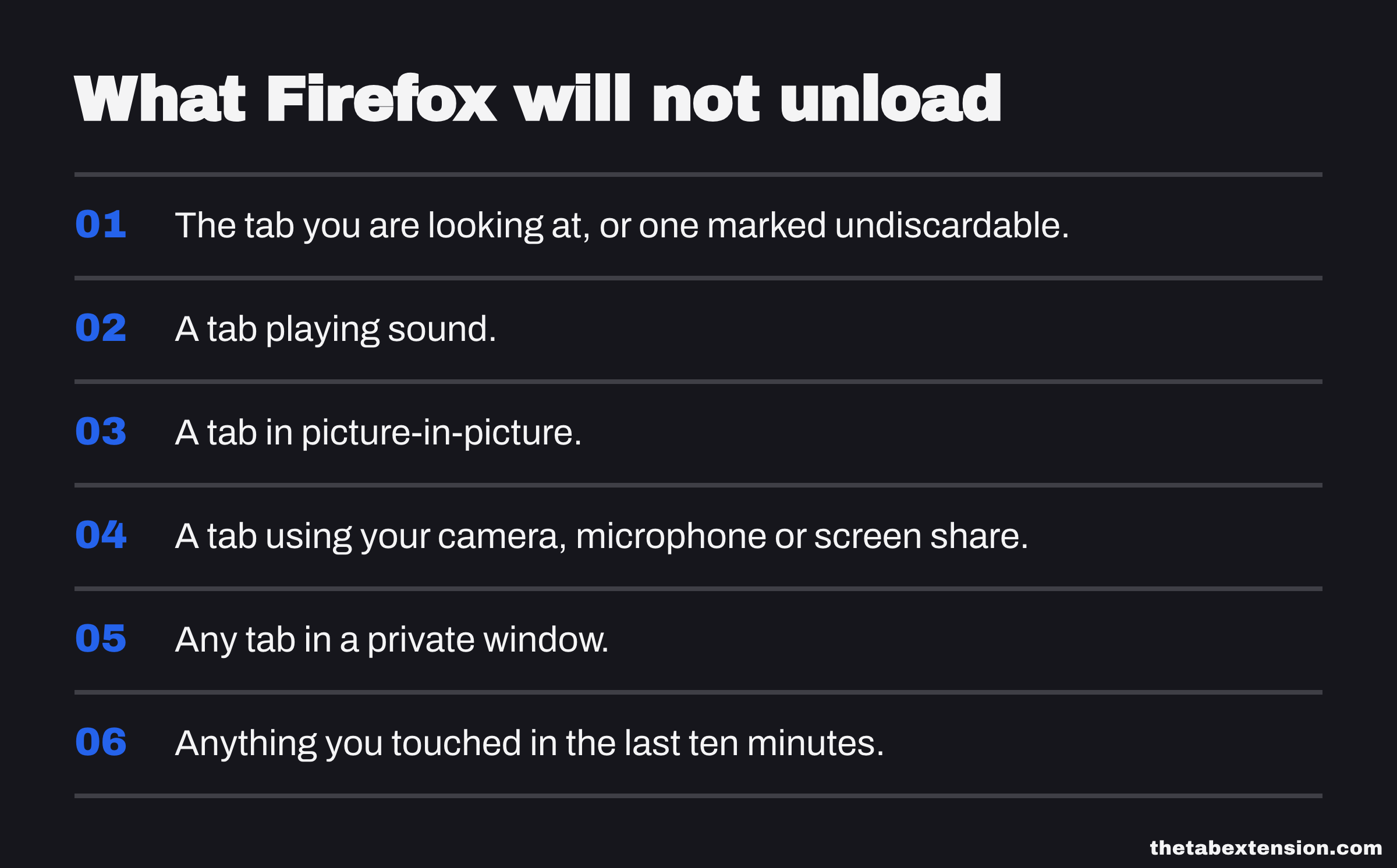
Two filters come first. Any tab you touched in the last ten minutes is skipped outright, from browser.tabs.min_inactive_duration_before_unload, which is 600000 milliseconds. Then every remaining tab gets a base weight, and the ten highest-weighted tabs are set aside from the expensive part of the calculation, because they have most likely been used recently.

The base weights are the interesting part:
| Condition | Weight |
|---|---|
| The tab you are looking at, or one marked undiscardable | 100000 |
| Playing sound | 100000 |
| In picture-in-picture | 100000 |
| Using your camera, microphone or screen share | 100000 |
| In a private window | 100000 |
| Pinned | 2 |
NEVER_DISCARD is that 100000, and a tab carrying it stays in the list but is never actually discarded. Everything else is a nudge down the queue rather than an exemption.
Pinning behaves differently here from how it behaves in Chrome, and that is what catches people out. In Chrome, a pinned tab is permanently ineligible for discarding, which is why the Gmail and Slack tabs you pinned are the ones Memory Saver never reclaims. In Firefox a pin is worth two points. It moves the tab down the queue and nothing more. Pin forty things in Firefox and Firefox will still unload them before it gives up.
After the weights come the resource passes. Firefox counts how many content processes are used only by each tab, on the reasoning that those are the ones whose memory can actually be returned, and reweights so that tabs holding several processes of their own are more likely to go. Then it estimates each tab's memory by dividing each process's footprint across the frames using it, with subframes counted as half a top-level frame, and reweights again. The three orderings are combined, the first tab in the result is discarded, and if that fails Firefox moves to the next one.
That process-counting step is the same physical fact Chrome runs into from the other direction, and it is why closing tabs one at a time frees less memory than people expect: memory comes back when a process exits, not when a tab does.
How do you unload a Firefox tab yourself?
Right-click the tab and choose Unload Tab. It is a real menu item, defined in Firefox's own tab context menu strings, it selects multiple tabs as "Unload 6 Tabs" when you have several highlighted, and browser.tabs.unloadTabInContextMenu ships as true on every platform.
This is the answer for Mac and Linux users, and in one respect it beats the automatic path: you choose. The tab stays in the strip, its title and favicon stay put, and clicking it reloads the page and restores your scroll position and form data.
about:unloads is the companion page. It lists your tabs in the order Firefox would unload them, with the weights and memory estimates it calculated, and it will unload the next one on demand. It is the closest thing Firefox has to a Task Manager for tabs, it has been there since 93, and hardly anyone knows the URL.
What do Firefox tab groups do now?
They started as a staged rollout in Firefox 137 on 1 April 2025, reached everyone by 141, and Mozilla said in November 2025 that over 18 million people had used them. The rollout being staged is a large part of why the feature still surprises people who have been running Firefox the whole time.
Drag one tab onto another, hold for a moment, and Firefox offers to make a group; name it, colour it, collapse it. The refinements since then are small and all in the same direction, which is the direction of not losing the thing you collapsed: the active tab stays visible when you collapse a group in 142, you can drag a tab straight into a collapsed group in 143, and you can peek inside one without expanding it in 145.
Two footnotes, both small, both easy to miss. If drag-to-group keeps firing when you are only reordering tabs, Firefox 150 added the setting to turn it off, under Settings, Tabs, "Drag tabs to create tab groups". And a group is not an archive. It is a way of holding open tabs together, so a fifty-tab window with five tidy groups in it is still a fifty-tab window.
Do Firefox's AI tab groups send your tabs to Mozilla?
No. Firefox 141 added a local model that "identifies similar tabs, automatically organizes them into groups, and even suggests group names", and Firefox 154 extended the same idea into Smart Window, where Firefox "can now suggest groups of related tabs and propose a name for each group". Mozilla published how it works, which is unusual enough that the post is worth reading in full.
Naming a group uses a fine-tuned flan-t5-base model, trained on over ten thousand example situations and labels and compressed from 1GB to 57MB so it can ship to a browser. Suggesting further tabs for a group is not a language model at all: Firefox turns tab titles into vectors with a MiniLM embedding model and scores candidates by cosine similarity against the group's name and the anchor tab, combined through logistic regression. Both models download the first time you use the feature, and everything runs on your machine through Firefox's local AI runtime.
It is also opt-in. browser.tabs.groups.smart.optin ships as false, so nothing is inferred about your tabs until you ask for it.
How many closed tabs does Firefox remember?
Twenty-five. browser.sessionstore.max_tabs_undo is 25 and browser.sessionstore.max_windows_undo is 5, and since browser.sessionstore.closedTabsFromAllWindows is true, those twenty-five are pooled across every window rather than kept per window.
That number is fine for an accident and thin for a habit. Close a group of forty and the first fifteen are gone from the recently-closed list before you have finished closing them. Firefox will warn you before opening more than fifteen tabs at once, from browser.tabs.maxOpenBeforeWarn, but there is no matching warning on the way out.

The surface where you would go looking for those tabs is also moving. Firefox View is the panel that collects recently closed tabs and tabs from your other devices, and Firefox 154 states that it "is moving out of the toolbar by default for new profiles and for profiles where it hasn't been used recently". It is still reachable from List all tabs, then View all tabs, and you can put the button back from Customize toolbar. If you use it, pin it back now, because the release that hides it is already out.
What else is buried in there?
Containers are the one to turn on first, and Firefox 153 listed them as a new feature on 21 July 2026. Mozilla's description is exact about what they do: they "let you keep separate parts of your online life (work, shopping, personal, banking) logged into different accounts in the same browser window, but keep your cookies and ad tracking isolated inside each container". Two Google accounts signed in side by side, in one window, with no profile switching. privacy.userContext.enabled and privacy.userContext.ui.enabled are both true in current Firefox, so the menu is there waiting. Nothing else on this list changes how a heavy-tab day feels as much as not having to sign out of things.
Vertical tabs arrived in Firefox 136 on 4 March 2025, in the rebuilt sidebar, and are the reason a lot of people stopped needing an extension at all: a tab title is readable at forty tabs in a sidebar and unreadable at forty tabs in a strip. Firefox 154 fixed the sidebar refusing to hide in full screen, which was the last obvious rough edge.
Split view landed in Firefox 149 in March 2026 and got its useful entry point a month later, when Firefox 150 added "Open Link in Split View" to the link context menu. The same release quietly added Reverse Tabs to the tab menu and multi-tab link copying, which is a nicer way to hand someone a set of pages than pasting eight URLs in a row.
What Firefox still will not do
Take everything currently open, put it somewhere searchable, and close it.
That is the shape of the gap. Firefox will group your tabs, unload them, isolate them, stack them in a sidebar and suggest names for them, and every one of those keeps the tabs open. The nearest native answer is Bookmark Tabs, which is in the same context menu and genuinely works: select the tabs, bookmark them into a dated folder, close the window. If your saved sets are few and you already live in your bookmarks, stop here, because you do not need anything else and an extension will only add a second place to look.
It stops working when saving is a daily move rather than an occasional one. Bookmark folders do not know when they were made, they interleave with the bookmarks you actually curate, and restoring one means opening a folder and clicking through rather than pressing one thing.
That is the gap TheTab fills, and TheTab is ours, which is worth saying plainly: one action saves every open tab into a dated list and closes them, and one click brings a set back. It is also on Firefox Add-ons, which is not a given: plenty of tab-manager advice still assumes Chrome and never says whether the thing it recommends runs in Firefox at all. If you want the wider view of which tools exist and which family each belongs to, the four kinds of tab manager sorts them, and the browser comparison covers what the other seven browsers do here.
One more thing that is half-there rather than missing. Firefox's sync record now carries tab groups: each synced tab includes its tabGroupId, and Firefox sends a record for each referenced group with its name, colour and collapsed state. Mozilla's own tab groups page tells you to "sign in to Firefox and turn on Sync to keep your tab groups available across devices". So the group travels as data. What a second machine does with it is a different question from whether your fifty tabs come back, and if cross-device restore is the whole reason you are reading this, test it on your own two machines before you rely on it.
So do you need a Firefox tab manager?
Less than you did in 2024, and the honest test is which of these describes your day.
If the problem is that you cannot read your tab titles, turn on vertical tabs. If it is that work and personal accounts keep colliding, turn on Containers. If it is that related tabs drift apart, use groups, and let the local model name them if naming is the part you never do. If it is that Firefox feels heavy on a Mac or on Linux, nothing is going to unload those tabs for you, so open about:unloads or right-click and unload the worst offenders yourself.
If the problem is that you end every day with a window you cannot close because closing it means losing the thread, that one is not in the browser, and no preference in about:config adds it.
SOURCES
Every factual claim in this article traces to a source below. Where we could not source a claim, we removed it rather than softening it.
Firefox shipped native vertical tabs and the updated sidebar in version 136.
Firefox began rolling out native tab groups in version 137.
Firefox 141, released 22 July 2025, states: "Now Firefox can help you keep your tabs organized, automatically. A local AI model identifies similar tabs, automatically organizes them into groups, and even suggests group names." The same release let vertical tabs users drag the divider at the bottom of the sidebar to show fewer tools and more tabs.
Mozilla's own engineering write-up of smart tab grouping. Group naming uses a flan-t5-base encoder-decoder model fine tuned on over 10,000 example situations and labels, compressed from 1GB to 57MB by distillation and quantization. Suggesting further tabs converts tab titles to feature vectors with a MiniLM embedding model and scores them by cosine similarity, combined through logistic regression. Everything runs on the device through Firefox's local AI runtime, and the feature is opt-in, downloading the two models the first time the user runs it.
Mozilla states that over 18 million people have used tab groups since launch, and dates three refinements - the active tab staying visible when a group is collapsed in Firefox 142, dragging tabs directly into a collapsed group in 143, and peeking inside a group without expanding it in 145.
Firefox 149 added Split View for viewing two pages side by side in a single window, started from Add to Split View or Open in Split View.
Firefox 150, released 21 April 2026, states: "You can now right-click any link and choose Open Link in Split View to open it alongside your current tab." It also added a Reverse Tabs option to the tab context menu, multi-tab Copy X Links, and the setting to disable drag-and-drop group creation: "If you prefer creating tab groups from the context menu, you can now turn off drag-and-drop group creation in Settings > Tabs > Drag tabs to create tab groups."
Firefox 153, released 21 July 2026, lists Containers as a new feature: "Containers let you keep separate parts of your online life (work, shopping, personal, banking) logged into different accounts in the same browser window, but keep your cookies and ad tracking isolated inside each container." The same release added QR code sharing from the tab context menu.
Firefox 154, released 18 August 2026 and current at the time of writing, states: "In Smart Window, Firefox can now suggest groups of related tabs and propose a name for each group." It fixed the vertical tabs sidebar staying visible in full screen mode, and states that "Firefox View is moving out of the toolbar by default for new profiles and for profiles where it hasn't been used recently. It can still be opened from List all tabs > View all tabs, or added back from the Customize toolbar menu."
Read 23 August 2026 from mozilla-central tip. browser.tabs.unloadOnLowMemory is true under XP_MACOSX or XP_WIN and false otherwise. browser.tabs.min_inactive_duration_before_unload is 600000 milliseconds, with the comment "Tab Unloader does not unload tabs whose last inactive period is longer than this value". browser.lowMemoryResponseMask is 3 under NIGHTLY_BUILD and 0 otherwise, documented as a bitmask where 0x0 is "No response (other than recording for telemetry, crash reporting)" and 0x1 is "Use the tab unloading feature to reduce memory use". browser.lowMemoryPollingIntervalMS is 10000 and browser.lowMemoryResponseOnWarn is false, so the response is tied to the macOS critical level. browser.tabs.unloadTabInContextMenu is true. browser.sessionstore.max_tabs_undo is 25, max_windows_undo is 5 and closedTabsFromAllWindows is true. browser.tabs.maxOpenBeforeWarn is 15. browser.tabs.groups.enabled and browser.tabs.groups.smart.enabled are true while browser.tabs.groups.smart.optin is false; the smart grouping prefs name AGGLOMERATIVE clustering and LOGISTIC_REGRESSION for suggesting other tabs. privacy.userContext.enabled and privacy.userContext.ui.enabled are both true.
Read 23 August 2026 from mozilla-central tip. The file describes itself as discarding tabs "when memory or resource constraints are reached" using a heuristic accounting for when the tab was last used, how many resources it uses, and whether closing it is likely to affect the user. MIN_TABS_COUNT is 10 and NEVER_DISCARD is 100000. The criteria list assigns NEVER_DISCARD to isNonDiscardable, usingPictureInPicture, playingMedia, usingWebRTC and isPrivate, 8 to isLoading and 2 to isPinned; the default isLoading implementation returns 0, and isNonDiscardable returns the weight when a tab is selected or marked undiscardable. getSortedTabs skips tabs accessed within minInactiveDuration, sorts by base weight and then by lastAccessed, excludes the last MIN_TABS_COUNT tabs from reweighting, then reweights the rest by the number of processes used only by that tab and by an estimate of the tab's memory before discarding the first entry. unloadTabAsync returns immediately when browser.tabs.unloadOnLowMemory is false.
Read 23 August 2026 from mozilla-central tip. The macOS watcher tracks the OS memory-pressure level and, by default, responds at the critical level by calling nsITabUnloader::UnloadTabAsync() and then issuing a Gecko low-memory notification if no tab could be unloaded. Both halves are gated on browser.lowMemoryResponseMask: LowMemoryResponse() calls the tab unloader only when the mask has the eTabUnload bit set, and OnUnloadAttemptCompleted issues the internal memory-pressure notification only when the eInternalMemoryPressure bit is set. The ResponseMask enum is eNone 0x0, eTabUnload 0x1, eInternalMemoryPressure 0x2, eAll 0x3.
Read 23 August 2026 from mozilla-central tip. The Windows watcher creates the operating system's own low-memory signal with CreateMemoryResourceNotification(LowMemoryResourceNotification) and calls mTabUnloader->UnloadTabAsync() when it fires.
Read 23 August 2026 from mozilla-central tip. Each synced tab record carries a tabGroupId alongside its title, url history, favicon, last used time, window id, index and pinned state, and _collectReferencedTabGroups emits a TabGroup record with the group's id, name, color and collapsed state for every group referenced by a synced tab.
Read 23 August 2026 from mozilla-central tip. The tab context menu defines tab-context-unload-n-tabs with the labels "Unload Tab" and "Unload { $tabCount } Tabs", described as unloading the content of one or more tabs to reduce memory usage, and bookmark-selected-tabs with the label "Bookmark Tabs...".
Firefox has unloaded memory-heavy inactive tabs under low memory since version 93, keeping them in the tab strip and restoring them on click, with about:unloads exposing the queue.
Mozilla's own feature page for tab groups, read 23 August 2026 and dated with the read date because it is revised in place. It describes adding a tab to a new or existing group, collapsing a group and reopening it with a single click, and says: "Sign in to Firefox and turn on Sync to keep your tab groups available across devices."