
Closing a tab is a decision. Keeping one is not. That asymmetry is the whole mechanism, and it is why "just close them" has never worked on anyone.
A tab costs nothing to leave open, and closing it feels like giving something up: the article you meant to read, the comparison you were halfway through, the tutorial from three weeks ago. So it stays, because staying is free and leaving has a price. Repeat that forty times and the tab strip stops being a workspace. It becomes a list of things you have not decided about, and you look at it all day.
The fix is not more willpower applied to the same forty decisions. The fix is to stop making forty decisions.
What is tab hoarding?
Tab hoarding is the habit of keeping far more browser tabs open than you are using, because closing them feels like losing something. It is not a diagnosis and not a discipline failure. It is a predictable response to a tab strip where keeping is free, closing is a decision, and finding the page again later is uncertain.
Self-reported tab counts are unreliable and the useful threshold is not a number anyway. You are hoarding when you can no longer read the titles in your own tab strip, and when you have started opening duplicates because scanning the strip is slower than searching for the page again.
Why can't you close your browser tabs?
Because closing a tab registers as a loss, and losses are weighted more heavily than equivalent gains. Daniel Kahneman and Amos Tversky established this as loss aversion, and their 1992 refinement put the ratio at roughly two to one. Closing an unread article trips that response. Leaving it open does not. So the tab stays, and the reason has nothing to do with how much you wanted the article.
The original result is in Kahneman and Tversky's 1979 Econometrica paper, Prospect Theory: An Analysis of Decision under Risk, which showed the value function for losses is steeper than the one for gains. Their 1992 refinement in the Journal of Risk and Uncertainty put the median coefficient at about 2.25, and that one estimate is where the two-to-one figure everybody quotes comes from.
It is worth saying how thin that number is, since we are the ones quoting it. A 2024 meta-analysis in the Journal of Economic Psychology pooled the studies fitting the same coefficient to risky gambles and landed on 1.31, with a confidence interval of 1.10 to 1.53 that excludes 2.25 outright, and it reports the intervals covering loss neutrality in 12 of 19 datasets. The bigger ratios turn up somewhere else, and that somewhere happens to be the case a tab resembles: not a gamble you might take, but a thing you already have. For that, the same paper cites a median of 2.60 and a geometric mean of 3.28 on how much more people demand to give something up than they would pay to get it.
Neither line of work is about browsers. The point is that the response is general: it does not require the thing you are giving up to be valuable, only to be yours already.
The second half of the problem is that tabs are bad external memory that feels like good external memory. You cannot recall the article's title or which site it was on, so you keep the tab open as the pointer to it. The tab is a bookmark you never filed, and two weeks of that leaves thirty pointers to things you can no longer name.
Then the trap closes. You keep tabs open to lower mental load, on the reasoning that an open tab is a task you cannot forget. Nobody has measured that trade for browser tabs, so take what follows as an argument and not a finding: thirty visible open loops read as more load than one written list, not less. The thing you did to feel calmer is the thing keeping you tense.

What does keeping 40 tabs open actually cost?
Less memory than you think and more attention than you think. Modern browsers already unload inactive tabs, so the RAM argument that tab manager marketing leans on gets weaker every year. The cost that survives is attentional: a tab strip you cannot read is a running list of unfinished work sitting in your peripheral vision all day.
On the machine side, Chrome has shipped Memory Saver since Chrome 110, which reached the desktop stable channel on 7 February 2023. Google announced it in December 2022, claiming up to 40 percent and 10 GB less memory with the performance settings on, and inactive tabs simply reload when you come back to them. Edge has sleeping tabs, which Microsoft's own policy documentation says are turned on by default. Firefox unloads tabs when its memory pressure detector sees the system running low. If your only complaint is that your laptop is hot, you may not need an extension at all, and the honest version of that is in what Chrome Memory Saver does and where it stops. You do not have to take anyone's number for it either: Chrome's own task manager, Shift and Esc on Windows and Linux, lists memory per tab on your actual machine.
The attention side is better documented than the memory side. Gloria Mark, Victor Gonzalez and Justin Harris observed 24 information workers across more than 700 hours of formal observation and reported in No Task Left Behind? Examining the Nature of Fragmented Work (CHI 2005) that people spent about 11 minutes on a working sphere before switching, and that interrupted work resumed the same day took an average of 25 minutes and 26 seconds to get back to. That study is about workplace interruption, not about browser tabs. But a tab strip you have to scan is an interruption generator you built yourself, and it is sitting inside the window where the work happens.
There is a smaller, constant tax underneath that one, unmeasured but easy to catch yourself paying. Every time your eye crosses the tab strip, you run a fast keep-or-close pass on whichever tabs you can still identify. None of those are large decisions. There are simply a lot of them, all day, and you never consciously chose to make any of them.
When should you declare tab bankruptcy?
Tab bankruptcy is closing every open tab at once and restarting from an empty browser. The term borrows from email bankruptcy, where you delete the entire inbox because catching up stopped being realistic. You have reached the browser version when retrieval has broken: you open duplicates because finding the original takes longer than loading a fresh copy.
The signal is not the count. It is that the strip has stopped working as an index. When everything is saved, nothing is findable. Forty tabs where you can name eight is a worse research tool than eight tabs, because the other thirty-two are noise you read past every time you go looking.
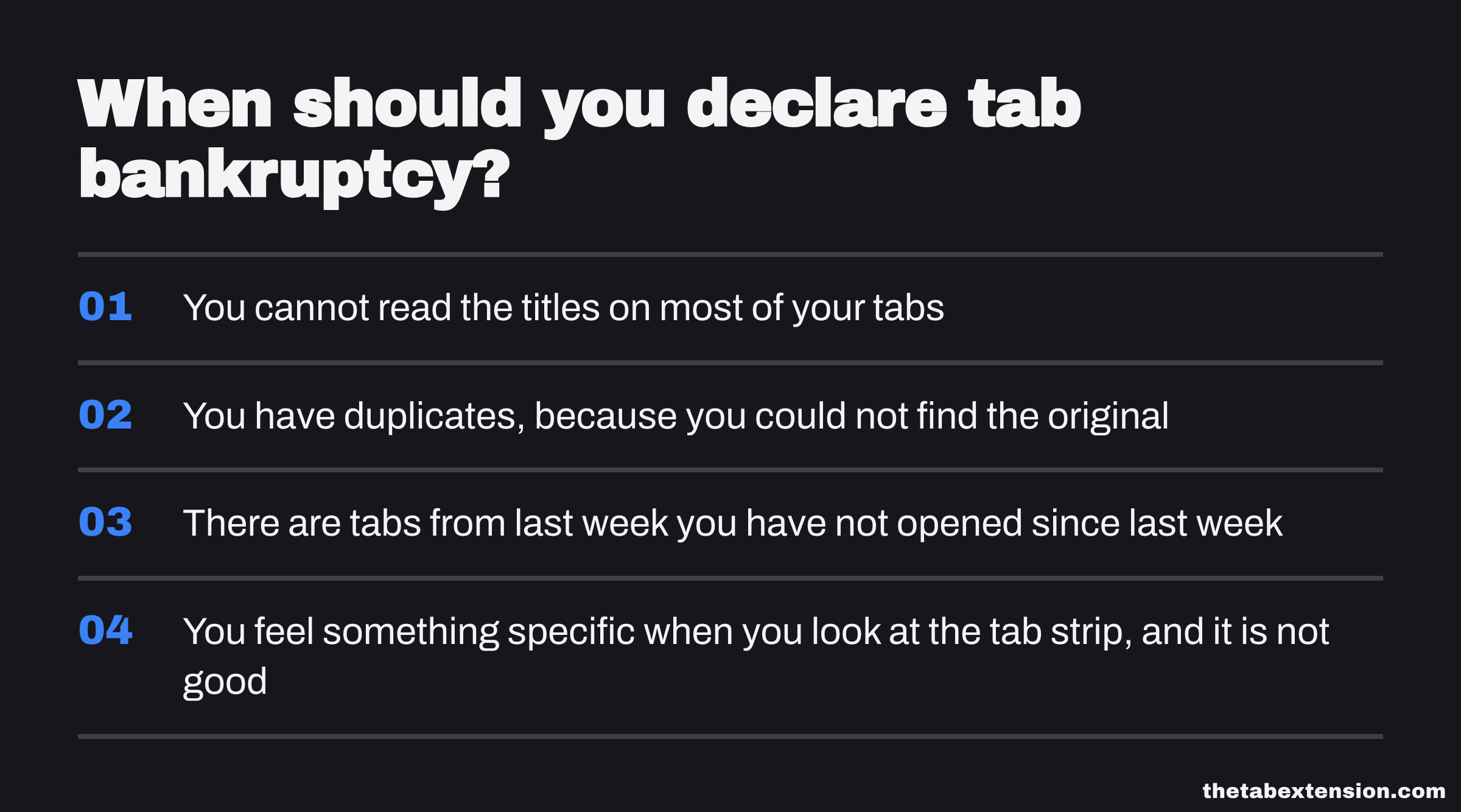
Signs, in rough order of how reliably they predict it:
- You cannot read the titles on most of your tabs
- You have duplicates, because you could not find the original
- There are tabs from last week you have not opened since last week
- You feel something specific when you look at the tab strip, and it is not good
Three of those and the reset is overdue.
How do you declare tab bankruptcy without losing anything?
Save before you close. Closing 60 tabs with no archive behind them is destructive, and you will resist doing it, correctly. Closing 60 tabs after one click has written all 60 URLs into a searchable list is a reset rather than a loss. The procedure is four steps and the whole thing takes under a minute.
Save everything, without sorting any of it
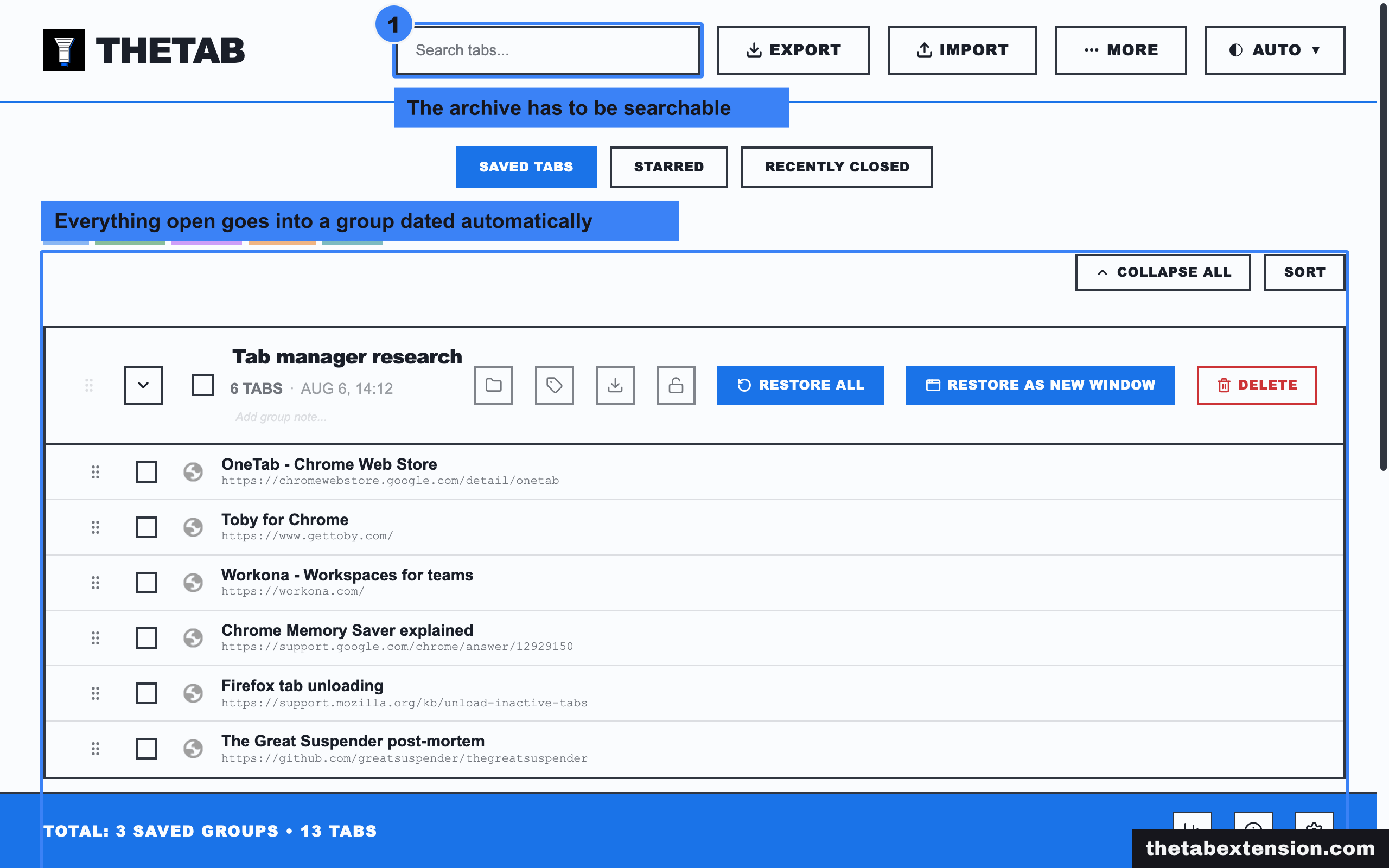
One action, all tabs, into a dated group. Do not sort, do not name, do not decide what deserves to be kept. Sorting at this moment is the failure mode, not the diligent version of the step. The archive's only job right now is to make the next step safe.
Close everything
All of it. The temptation is to leave four tabs open because they are obviously still needed, and those four are eleven by lunch. A clean strip is the thing you are actually buying here.
Reopen only what the next hour needs
Not what you were working on yesterday, and not what you might need. For most people this comes to two to five tabs: the document being edited, one reference, and wherever people message you.
Pick a ceiling, knowing it is arbitrary
Pick a number you will notice yourself crossing. There is no research establishing a correct number of browser tabs, and anyone quoting one at you invented it. Ten works because it is easy to count at a glance. The number's job is to be a threshold, not an optimum. When you cross it, save and close before opening the next thing.
Why does a tab manager work when willpower doesn't?
Because it replaces 40 decisions with one. Willpower has to be spent per tab: keep or close, 40 times, each one carrying its own small loss. A one-click saver collapses all of that into a single action with no loss attached to it, because nothing is being discarded. You stop deciding about tabs. You decide once, about all of them.
One decision instead of forty is the entire mechanism, and it is why the tool that helps a hoarder is not the tool with the longest feature list. A tool that asks you to file each tab into a named collection puts every one of those decisions back, just at a different moment, which is exactly the wall you already hit. Filing is a good design. It is a good design for someone whose problem is repetition rather than volume, and that is a different person with a different browser.
That distinction is the whole argument in Toby vs OneTab, and it is the line between the categories in what a tab manager actually is. If you hoard, choose from the one-click family, not the curation family. If you would rather compare before committing, the OneTab alternatives roundup goes through the realistic field, OneTab, Session Buddy, Tab Session Manager, Toby and Workona included.
TheTab is a one-click saver. Everything open goes into a group dated automatically, the groups are searchable, and the archive exports to HTML or JSON. Those three properties are the ones that matter for this specific problem, and you should demand all three from whatever you end up using. The save has to be a single action or you will not do it under pressure. The archive has to be searchable or it turns write-only within a month. The export has to exist, or your archive is a hostage.
TheTab keeps the archive in local browser storage, with a default-on safety net that mirrors your most recent groups into your browser's own sync storage so they survive a reinstall. That is a recovery net, not a sync product: there is no TheTab account, only recent groups fit the quota, and the full archive moves by export and import. If you need the same saved tabs on a laptop and a phone, an account-based tool is the correct answer and you should use one.
What actually keeps the count down afterwards?
One habit, not five. Save and close everything at the end of the day, every day, so that tomorrow starts empty. That single ritual does more than any tab limit, any audit, or any weekly system, because it puts a hard reset between one working day and the next and removes the overnight accumulation that produces a 60-tab strip in the first place.
The end-of-day save takes a few seconds and it is the only part of this you have to keep doing. Everything open goes into a dated group. Tomorrow you open the browser to nothing, and the first tab you open is one you needed this morning, not one that survived from Tuesday. A fresh strip every morning beats any organisational scheme applied to a permanent one.
The one thing worth adding is a look at the archive every week or two. Saved sessions rot exactly the way open tabs do, and the failure you are trying to escape can simply relocate from the tab strip into the saved list. Delete groups you know you will not open. Anything you have restored twice belongs in bookmarks or notes, not in a session archive.

If you want a structure rather than a habit, there are seven tab organisation methods worth testing.
The first week is uncomfortable. Closing 40 saved tabs still trips the loss signal even though nothing is being lost, because the signal does not check. Save them and close them anyway. It fades once you have restored something from the archive a few times and learned, in the only way that counts, that the archive works. Trust in the archive is the behaviour change. Everything else is mechanics.
When is a lot of tabs fine?
When the tabs have an end point. A developer with 20 tabs open for a testing pass, a researcher with 15 sources open for a comparison, a student with 12 references open for one paper are all using tabs correctly. The work defines when they close. Hoarding is what is left over when nothing defines that.
Development is the clearest case, and why 50 tabs is normal for a web developer goes through where that line falls: fifteen to twenty tabs belong to one ticket and close with it, while the two tickets before it are the part that never had an end point.
So the ceiling is a default, not a law. Take the 20 tabs when the work needs 20 tabs. What separates that from hoarding is whether you can say out loud what has to happen before those tabs go away. If you can, close them when it happens. If you cannot, they were never open for a reason, and the decision you have been avoiding is the same one every time: everything gets saved, and everything gets closed.
SOURCES
Every factual claim in this article traces to a source below. Where we could not source a claim, we removed it rather than softening it.
Kahneman and Tversky's original result that the value function is steeper for losses than for equivalent gains, which is the loss aversion this article says closing a tab trips.
Tversky and Kahneman's median loss aversion coefficient of about 2.25, which is the single estimate the popular two to one ratio comes from. The DOI resolves to a publisher paywall, so the open access meta-analysis listed next is the locator for readers who want to check the number.
Walasek, Mullett and Stewart quote Tversky and Kahneman 1992 at a lambda of 2.25, then pool the studies fitting the same parameter to risky choice at a lambda of 1.31, 95 percent CI 1.10 to 1.53, and state that the confidence intervals incorporated loss neutrality in 12 of the 19 datasets. The same paper cites Horowitz and McConnell 2002 at a median WTA/WTP ratio of 2.60 and Tuncel and Hammitt 2014 at a geometric mean of 3.28 for the riskless endowment case.
Mark, Gonzalez and Harris observed 24 information workers across more than 700 hours and measured about 11 minutes on a working sphere before switching, and an average of 25 minutes and 26 seconds to resume interrupted work. The widely quoted 23 minutes does not appear in this paper.
Browsers already unload inactive tabs, announced by Google in December 2022 with the vendor claim of up to 40 percent and 10 GB less memory with the performance settings on, which is why the RAM argument for tab managers keeps weakening.
Chrome's own release channel log, dated 7 February 2023, which is the Chrome 110 desktop stable release this article dates Memory Saver's default-on rollout to. The post is a release and security-fix record and does not itself discuss Memory Saver.
Microsoft's statement that sleeping tabs "reduces CPU, battery, and memory usage by putting idle background tabs to sleep" and that "By default, sleeping tabs is turned on", supported on Windows and macOS from Edge 88.
Mozilla's own description of the Firefox tab unloader, which is triggered when the memory pressure detector detects a low memory situation and unloads tabs in roughly least-recently-used order, controlled by the browser.tabs.unloadOnLowMemory preference.